Audit History
Every change made inside Raidiam Connect - no matter how small - generates an audit record.
An audit record captures:
- Who performed the action (user / system e-mail).
- What they did (
created,updated,deleted). - When it happened (UTC timestamp + Envers revision).
- The full state of the resource after the operation—or, in the case of deletes, the final state just before removal.
Why does this matter?
- Operational support – Allows ecosystem admins to diagnose changes without raising a service ticket.
- Forensics & rollback – Reconstruct a resource at any historical point or prove that no unauthorised edit occurred.
The Audit Data endpoint surfaces these records through a read-only, paginated API secured by the same OAuth tokens you already use in the UI.
Available resource types
Audit coverage has expanded over several releases and now includes:
- Organisations
- Organisation Admin Users
- Organisation Authority Claims
- Organisation Authority Domain Claims
- Software Statements (Applications)
- Application Authority Role Claims
- Application Certifications
- Application JWKs
- Authorisation Servers
- Server Certifications
- Server Authority Role Claims
- Domain Users
- JWKs (Directory keys)
- API Resources
- API Discovery Endpoints
- SSO Configurations
- SSO Configuration Versions
- User Groups, User Group User Mappings, User Group IDP Bindings, User Group Organisation Bindings, and User Group Permission Bindings
Results can be sorted by date, and a dedicated scope (see Access below) allows querying audit records across organisations rather than one organisation at a time.
A small number of internal resource types (for example, conformance configurations, custom claims, API families, and sub-domains) are not yet exposed through this endpoint. If you need audit coverage for a resource type not listed above, please reach out and we will assess adding it.
1 Quick Start
Via the API
GET /audit?resourceType=<resourceType> \
          &organisationId=<orgId> \
          &resourceId=<resourceId>
curl https://web.sandbox.raidiam.io/audit?page=0&size=50\
     &organisationId=123456789\
     &resourceType=softwareStatement\
     &resourceId=809d03dc-67fd-4473-bd69-aa030346b926
Returns a paginated chronicle of created, updated, and deleted events for the specified Resource Type.
Via the Connect User Interface
Audit views are available directly in the UI for organisations, applications, application certificates, authorisation servers, organisation domains, and authority domain role claims.
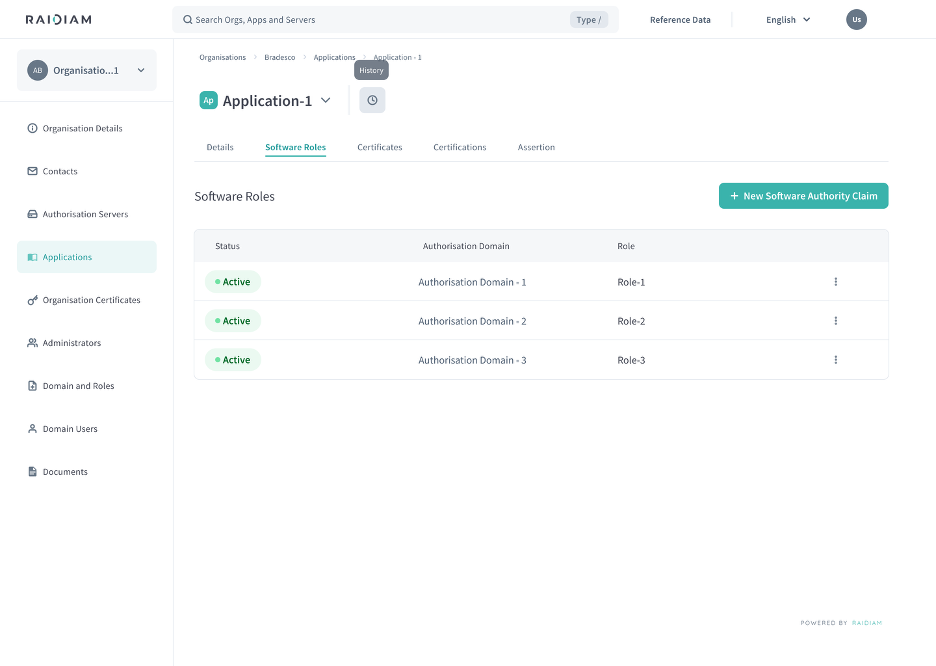
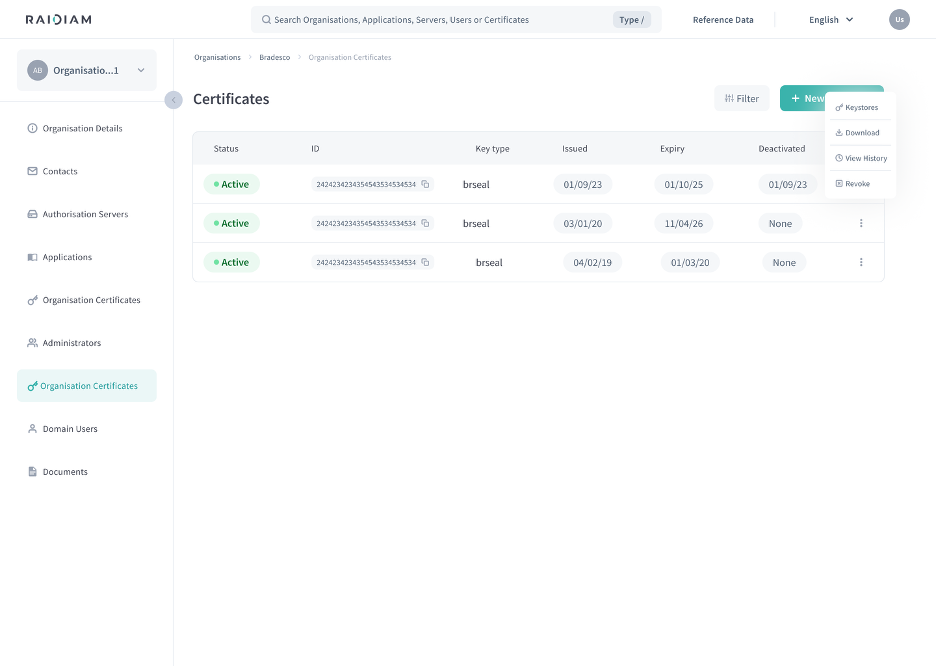
Accessing the history view. Depending on the resource, you'll find either a History icon (a clock icon next to the resource's name, at the top of its detail page) or a History option in a row's actions menu.
| History icon | History in a row's actions menu |
|---|---|
 |  |
Reading the history list. Selecting History opens a list of audit
entries for that resource, each showing the entry ID, the action
(Created/Updated/Deleted), the timestamp, and who performed it. Use the
Filter button to narrow the list by who performed the action, the action
type, or a start/end date range.
Switching resources without leaving the view. A searchable resource switcher lets you jump to another related resource's history (for example, another server or role) without navigating back out of the audit view first.
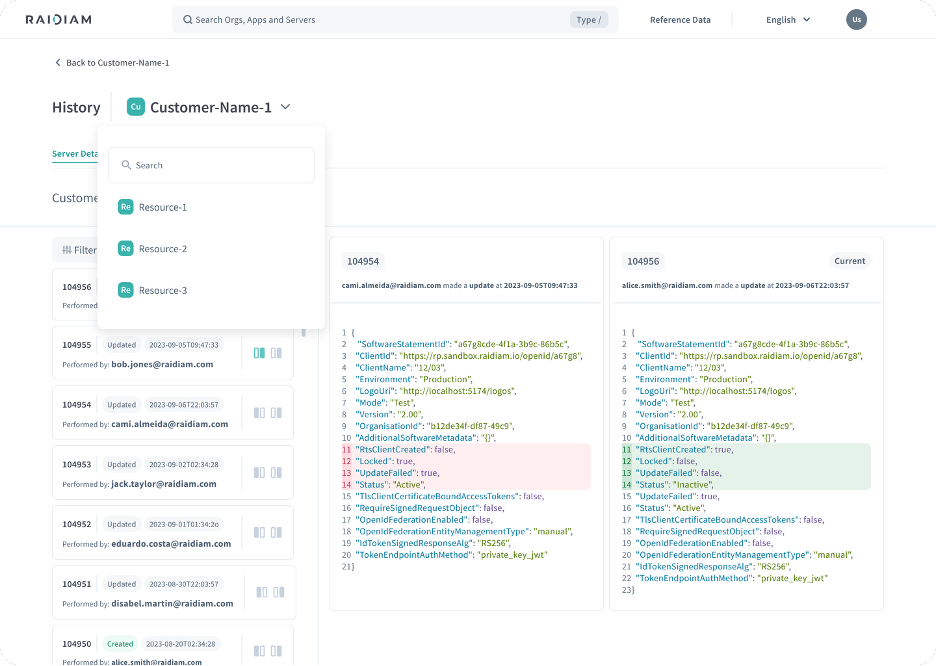
Comparing two versions. Select any two entries to open a side-by-side comparison: each side shows the full JSON state at that point, with fields that changed between the two highlighted (removed values in one colour, added values in another). This comparison view isn't limited to any one resource type, it's the same view used across every resource with an audit history.
Access
Querying audit records across organisations (rather than one organisation at a time) requires a dedicated audit-log access scope. Contact your Trust Framework Administrator if your application needs this broader scope.
Swagger
For more information on the API, you can find the swagger here: API Reference – Audit Data Endpoint
