Manage Contact Types
Manage Contact Types available within the ecosystem. Contact Types define categories of contact information that organisations use to identify who to contact and how, without granting access or permissions to any resources.
Contact Types affect the visibility and management of contact information only, not access control.
Only Super Users and Data Administrators can create, update, or disable Contact Types.
View Contact Types
Select Reference Data > Contact Types.
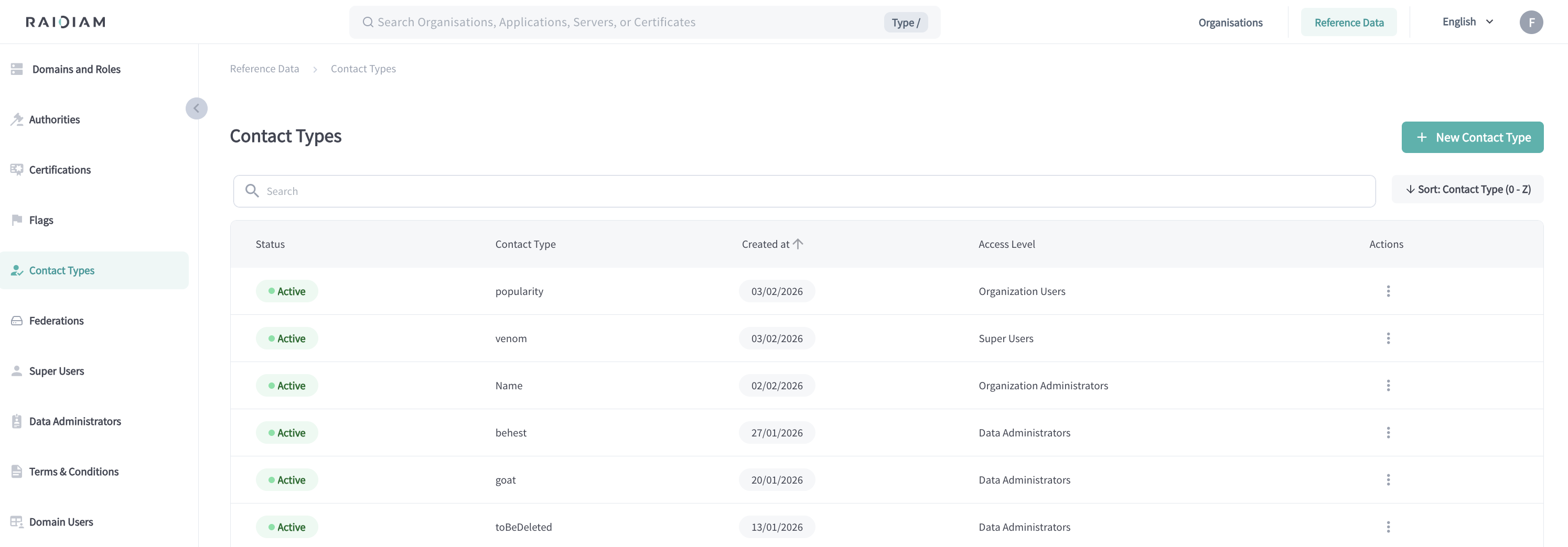
From this page you can:
-
View all configured Contact Types
-
See their status, access level, and creation date
-
Search and sort Contact Types
-
Edit or disable existing Contact Types
Select a Contact Type from the list to review or update its configuration.
Add new Contact Type
-
Select Reference Data > Contact Types > + New Contact Type.
-
Fill in the Contact Type fields and save.
Field Description Contact Type Name Name of the contact type (for example, Support, Security, Compliance). Description Optional explanation of when this contact type should be used. Access Level Defines who can see and maintain contact information of this type. See access levels below. 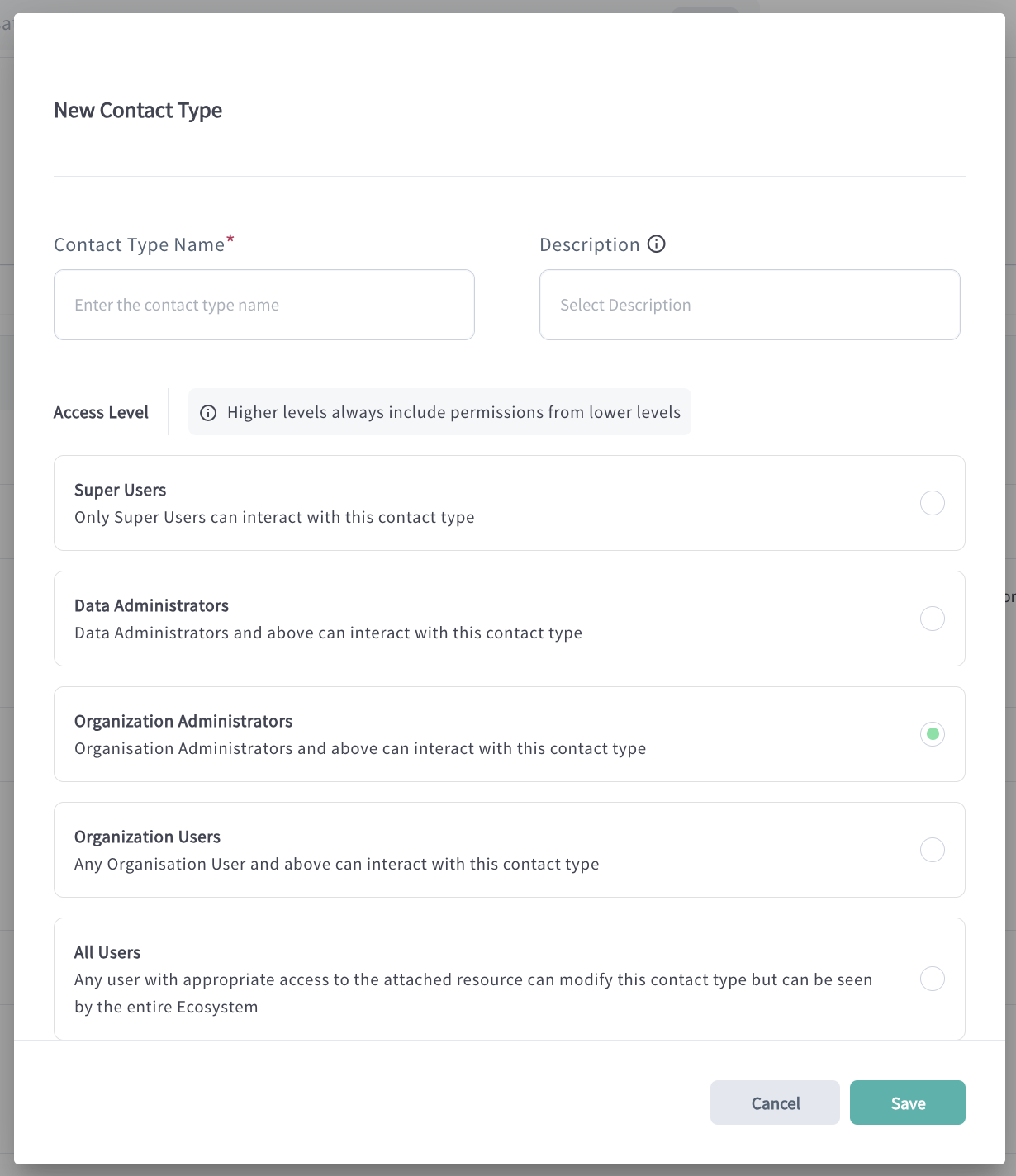
Access levels
The Access Level defines visibility and maintenance rules for contact information created with a given Contact Type. It does not grant access to resources, APIs, or organisations.
Higher access levels include all permissions from lower levels.
| Access Level | Who can see the contact | Who can manage the contact |
|---|---|---|
| All Users | All users in the ecosystem | Users from the owning organisation with write access to contacts |
| Organisation Users | All users within the organisation | Organisation users with write access to contacts |
| Organisation Administrators | Organisation administrators and higher roles | Organisation administrators and higher roles |
| Data Administrators | Data Administrators and Super Users | Data Administrators and Super Users |
| Super Users | Super Users only | Super Users only |
Example scenarios
-
Organisation Administrators
Only administrators and higher-level users can see and maintain the contact.
-
Organisation Users
All users within the organisation can see the contact, and users with write access to contacts can maintain it.
-
All Users
The contact is visible to everyone in the ecosystem, allowing users to know who to contact. Only users from the organisation that owns the contact, with write access to contacts, can update it.
These rules cascade — each higher access level inherits all permissions from lower levels.
Edit Contact Type
Select a Contact Type from the list and choose Edit to update its name, description, or access level.
Changes apply immediately and affect all contact information using this type.
Disable Contact Type
Disabling a Contact Type prevents it from being used for new contacts. Existing contacts using the disabled type remain visible but cannot be newly assigned.
Disabled Contact Types can be re-enabled if required.
Next steps
-
Add Organisation Contacts using the available Contact Types.
-
Configure Domain User Systems to control which users have write access to contacts.
