Raidiam Connect 2025 Year in Review
As 2025 comes to a close, Raidiam Connect is wrapping up the year with a focused set of improvements across identity, security, and day-to-day operations. This Year in Review brings together the most meaningful changes that strengthen trust, simplify onboarding, and make complex ecosystems easier to operate at scale.

During 2025, our team focused on strengthening identity correctness, improving the clarity and safety of federation and server configuration, and reducing friction across core onboarding and administration workflows. The platform has evolved to provide administrators and ecosystem participants with clearer signals, stronger validation, and more predictable behaviour when managing Organizations, Applications, Servers, certificates, and users.
Alongside identity and security related changes, significant improvements were made to the user interface and daily operational workflows. These changes aim to make it easier to locate resources, complete onboarding tasks correctly on the first attempt, and manage configurations directly without unnecessary dependencies on platform support or engineering releases.
All changes listed below are live unless explicitly marked as On Demand, in which case they must be configured or enabled explicitly by the organization or ecosystem.
Identity and Federation Capabilities
OpenID Federation Support
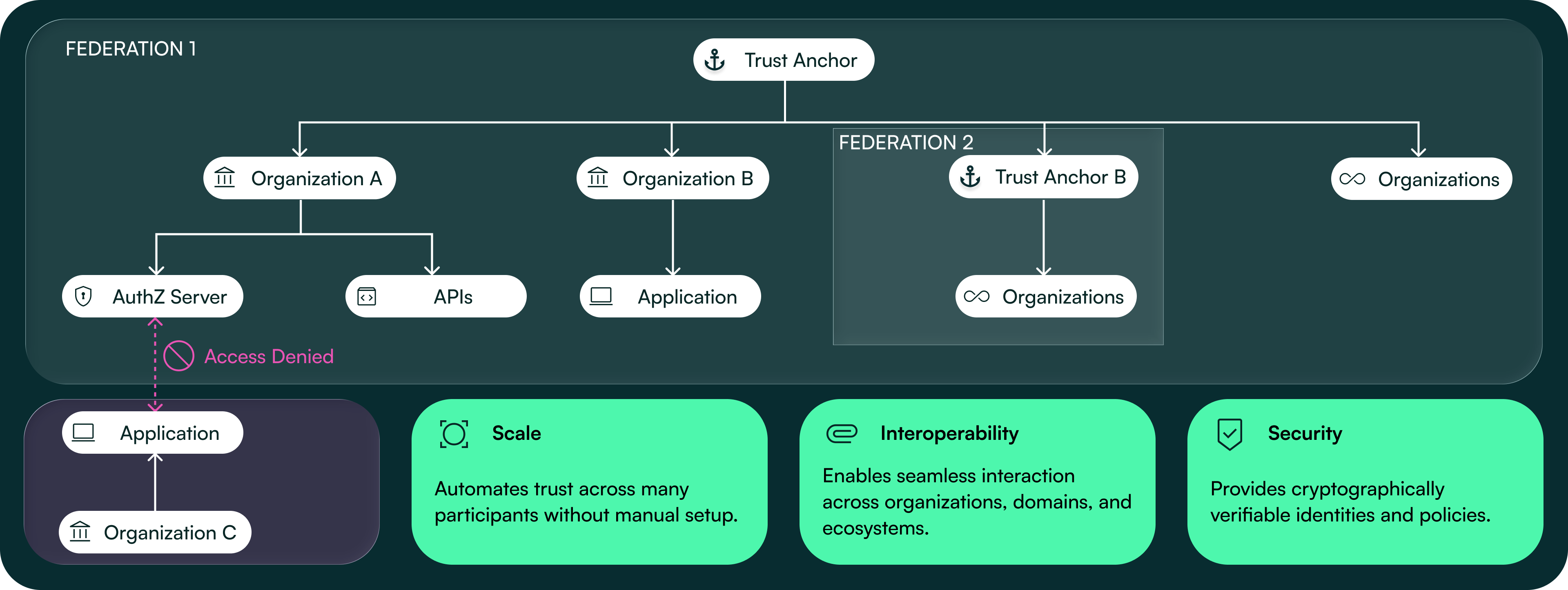
The platform supports federation-based registration and management of Applications using entity statements, entity configurations, and federation list endpoints. Applications can be onboarded and maintained using federation mechanisms instead of dynamic client registration or client management APIs, changing how relying parties are registered and updated.
Change Type: On Demand
Just In Time (JIT) User Provisioning Enhancements
Organization can configure external identity providers for user access. Users can sign in using existing corporate accounts such as Microsoft, Azure, or Google, without creating a local platform account. Roles and permissions are applied automatically based on identity claims returned during login.
Change Type: On Demand
Role Metadata Expansion
Roles now require additional federation specific metadata, including entity type, claim name, operator, and data type. When Super Users configure or update roles, these fields must be provided. Roles without this information cannot be reused in federation scenarios, ensuring that role definitions align with OIDC Federation requirements.
Organization Scoped Authorities
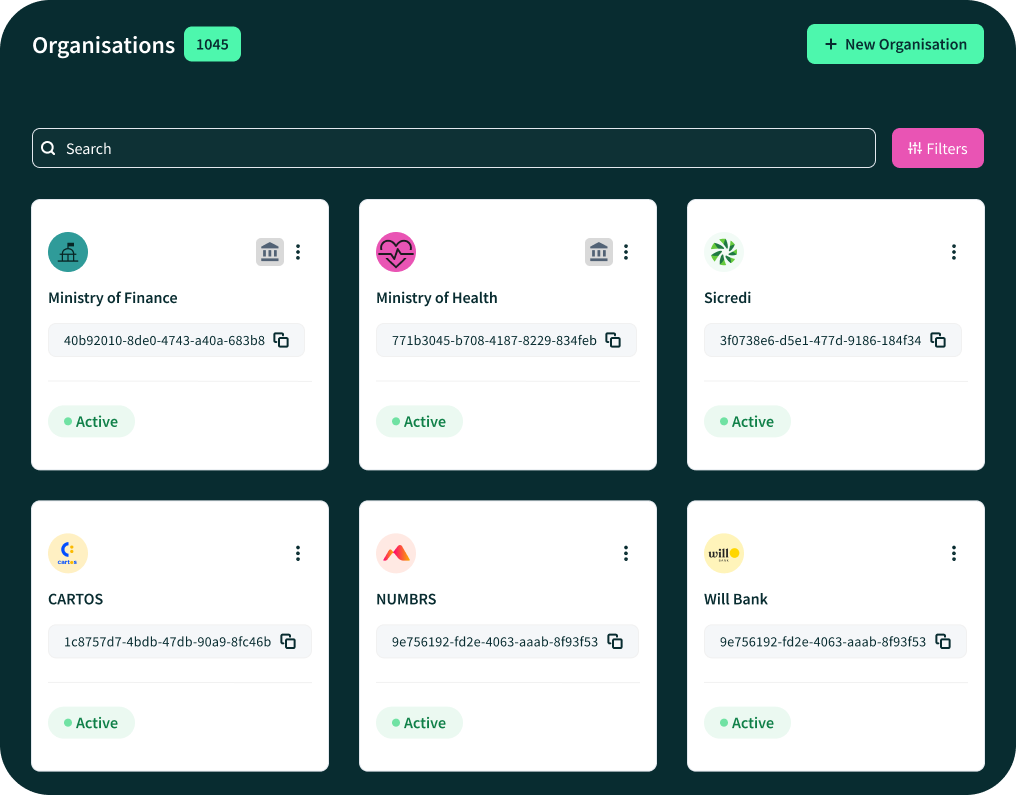
Authorities are now managed within individual Organization records rather than through central reference data. Organization that act as Authorities are visibly marked with a castle icon in the organization view. Super Users must open the Organization to convert it into an Authority, making the configuration explicit and visible in the same place where other organization level settings are managed.
Authorisation Server Issuer Validation
When creating or updating an Authorisation Server, users must provide the issuer value directly. The platform checks that the issuer is unique across all existing Servers. If another server already uses the same issuer, the platform blocks the operation, preventing duplicate or conflicting issuer configurations.
User Interface and Workflow Improvements
Global Search
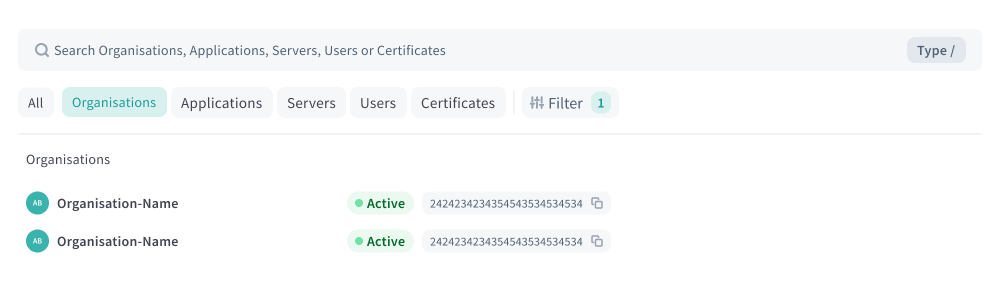
A global search bar is available across the platform, allowing users to search for Organization, Applications, Servers, and Certificates using names, identifiers, or certificate key IDs. Selecting a result takes the user directly to the corresponding resource page.
Application and Server Onboarding Wizards
When creating Applications or Authorisation Servers, users are guided through a step by step onboarding flow. Required fields are presented in sequence, validation errors are shown inline, and explanatory text is provided during the process rather than after submission.
Filtering and Pagination
Resource lists now support pagination and expanded filtering options. Users can filter by partial name, identifier, or status and navigate results page by page instead of working with long, unpaginated lists.
Certification Soft Delete
Certifications are no longer permanently removed when deleted. Users can mark certifications as inactive, keeping them visible for review and allowing them to be reactivated if required.
Certificate Downloads
Certificates are available for download immediately after creation. Users can download certificate files directly from the creation wizard flow without havign to return to the original screen.
Terms and Conditions Webhook Integration
Document signature status is updated automatically using DocuSign webhooks. Users no longer need to manually poll or refresh document status to see whether agreements have been signed.
MFA Recovery Codes
Users can generate recovery codes during onboarding or from their account settings. These codes can be used to regain access if an MFA device is lost, without requiring manual support intervention.
Dark Mode
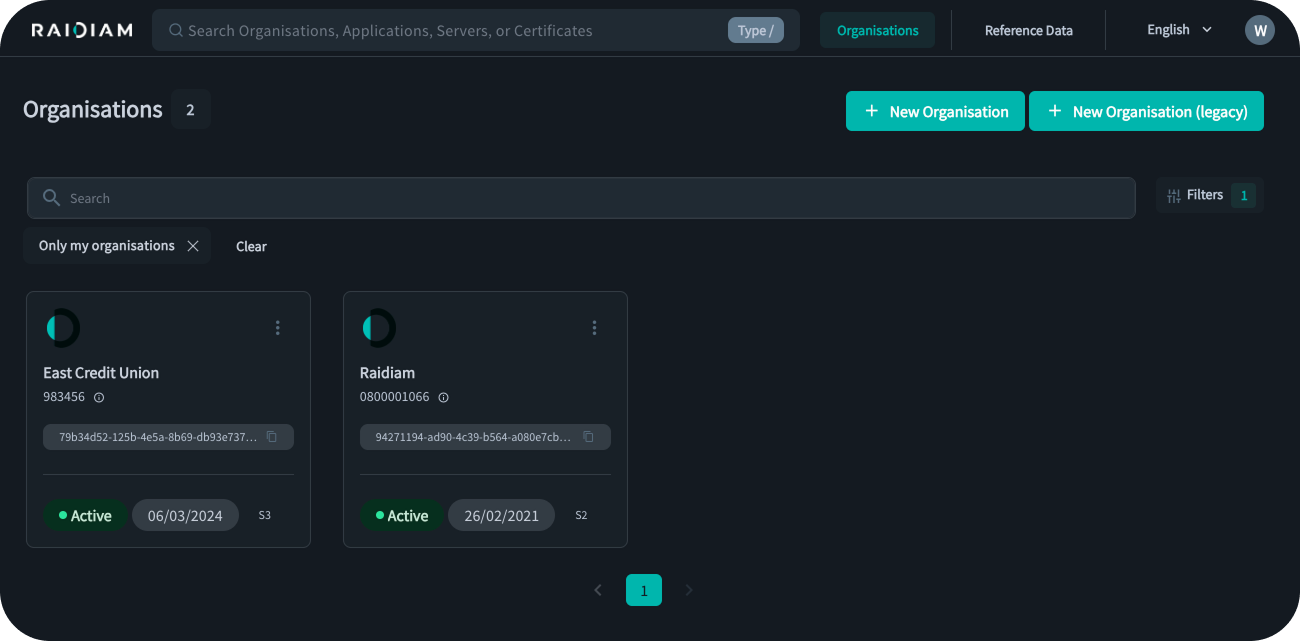
Users can switch the platform interface from a white coulour scheme to a dark colour scheme.
Contacts Wizard and Visibility Controls
Contact creation now follows a guided flow. When adding contacts, users can also visualize whether contact details are restricted or visible to the wider ecosystem, controlling discoverability at creation time.
Administration and Platform Management
Super User Management of Contact Types
Super Users can manage contact types and their visibility directly through Reference Data. Contact types can be configured as public or restricted without requiring platform configuration changes or releases.
Super User Management of API Families
API Families can be created, edited, or removed directly through Reference Data. Super Users can define associated certification requirements and validation patterns without requiring configuration changes or releases.
Organization Admin Editable Flags
Organization Administrators can manage configuration flags directly within their organization settings, instead of relying on super users to execute those changes.
Security, Stability and Performance
Certificate Rescan Improvements
Certificates are automatically revalidated against their issuing Certificate Authorities. If a certificate is revoked by the authority, it is automatically revoked on the platform as well.
TLS 1.3 Support
All platform connections use TLS 1.3. This affects how transport level security is negotiated and enforced for all clients.
Frontend and Backend Upgrades
The platform frontend has been migrated to Vue 3 and the backend to Micronaut 4. These upgrades are reflected in more consistent behaviour across interfaces and services.
Backend Request Optimisation
Duplicate backend requests have been removed from selected pages. Users experience faster page loads and reduced background activity during navigation.
Software Statement Audit History
Changes made to Software Statements are now tracked and exposed through the Audit API. Users can see what was changed and when, providing historical visibility that was not previously available.
Summary
As we close out 2025, Raidiam Connect has continued to evolve around the same principles that guide everything we build–trust, clarity, and interoperability. The year’s updates made the platform stronger, more intuitive, and better aligned with the real-world needs of open finance, digital identity, and data-sharing ecosystems.
We’re proud of the progress made possible through close collaboration with our users, partners, and community. Every improvement–whether in security, usability, or federation readiness–brings us closer to a more connected, transparent, and trustworthy digital ecosystem.
From all of us at Raidiam, thank you for being part of this journey in 2025. We look forward to 2026: a year of deeper integrations and continued innovation in trusted data exchange.
